HOW TO COPY FILES BETWEEN MAC OS X TO TRADING VPS
THIRD PARTY VIDEO TUTORIAL
When copying file between Mac and our Forex VPS (Windows System) using Microsoft Remote Desktop it’s recommended to share a sub folder, not the entire drive.
Here is quick step by step tutorial:
- Select your Forex VPS in the main “My Desktops” window in the Remote Desktop (RDP)
- Click the “Edit” button (pencil icon)
- In the popup click the “Redirection” button (folder icon)
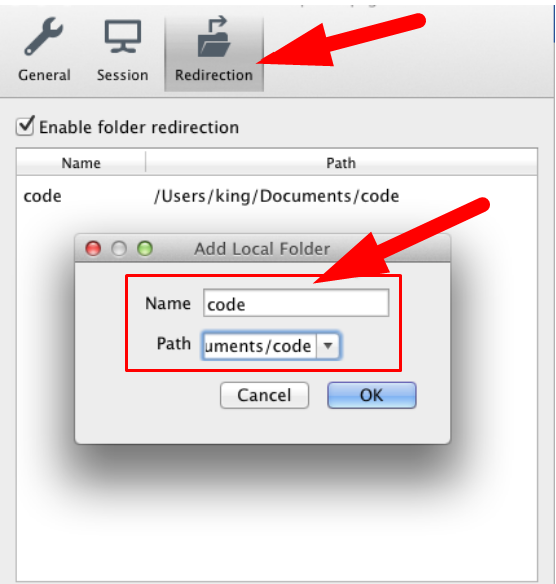
- Connect to Forex VPS
- Look for your shared Mac folder in your Forex VPS’s “My Computer” directory