HOW TO STOP WINDOWS FIREWALL
In this short tutorial we will learn the process to disable windows firewall. Sometime user need to disable VPS windows firewall as it create problem with login. So lets start…
- Login your VPS then go to start menu > Control Panel > System & Security
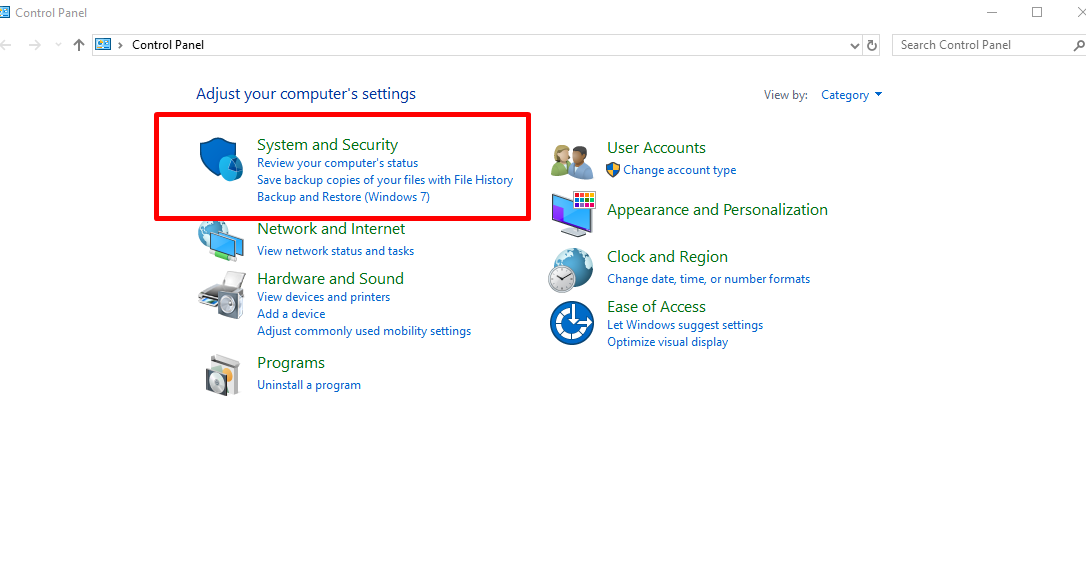
- Click on the system and security menu > Windows Defender Firewall
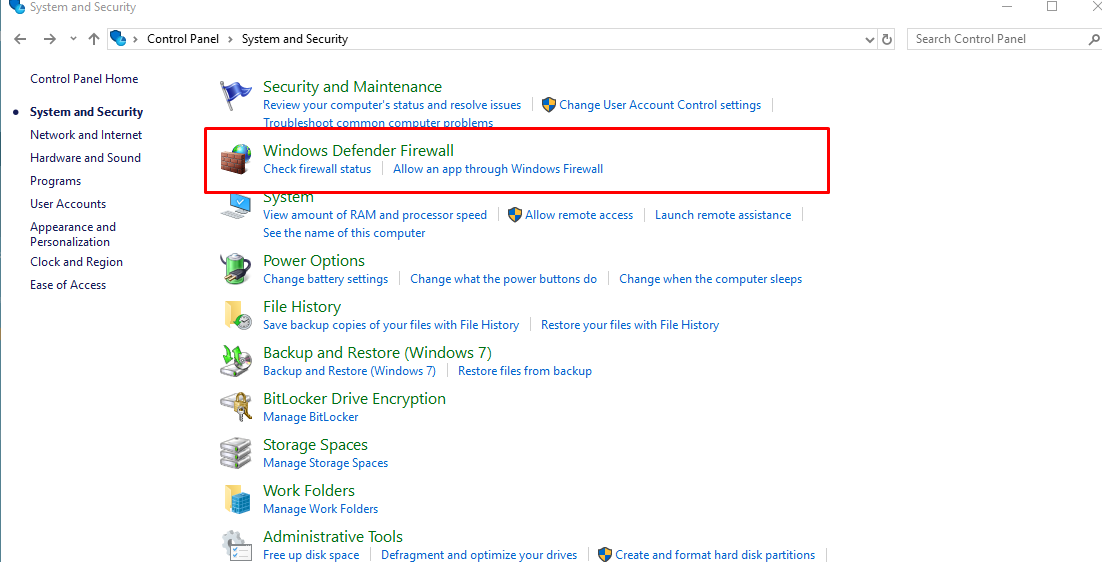
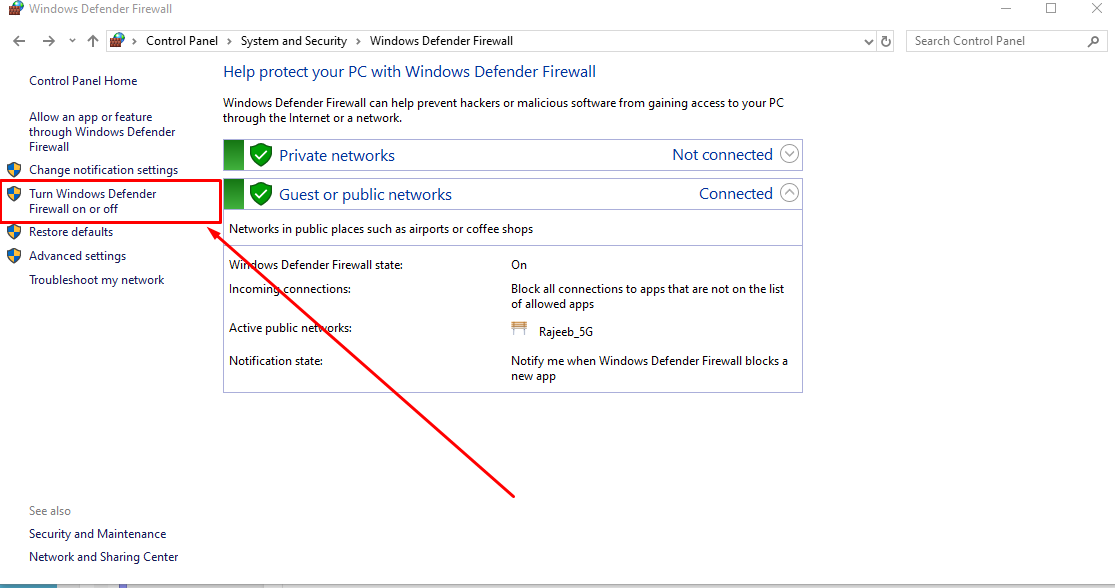
- Check the left side bar and click on ” Turn Windows Defender Firewall On or Off”
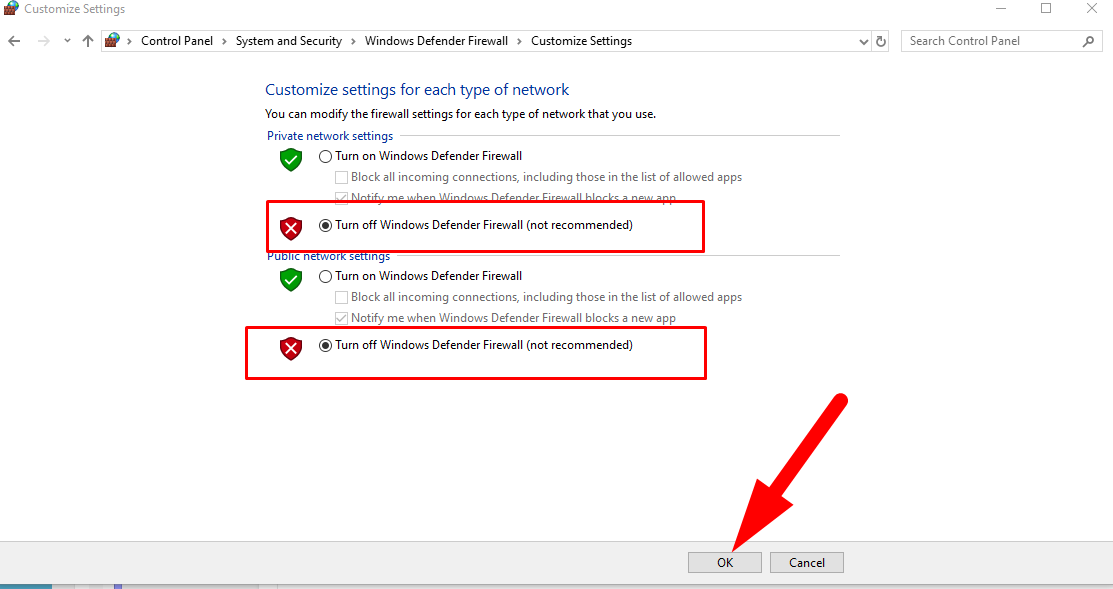
- Now turn off the firewall and save the settings.
ALL DONE!